
Receiving
Receive deliveries on a handheld at the dock, against the purchase order, and put stock on hand the moment the truck is checked.
Receive against the order
Ordered, already received and outstanding quantities come from the purchase order, so the team enters only what is on the truck.
Batch, expiry and bin
Captured line by line where the order asks for them, so short-dated stock is flagged before it reaches a shelf.
Tolerances and checks
Over-deliveries above the agreed tolerance wait for a buyer, and truck temperature and seal checks are recorded for chilled deliveries.
Posted once
Posting puts the stock on hand and writes the accounting entry in one step, with who and when on the audit trail.
Receiving in the product.
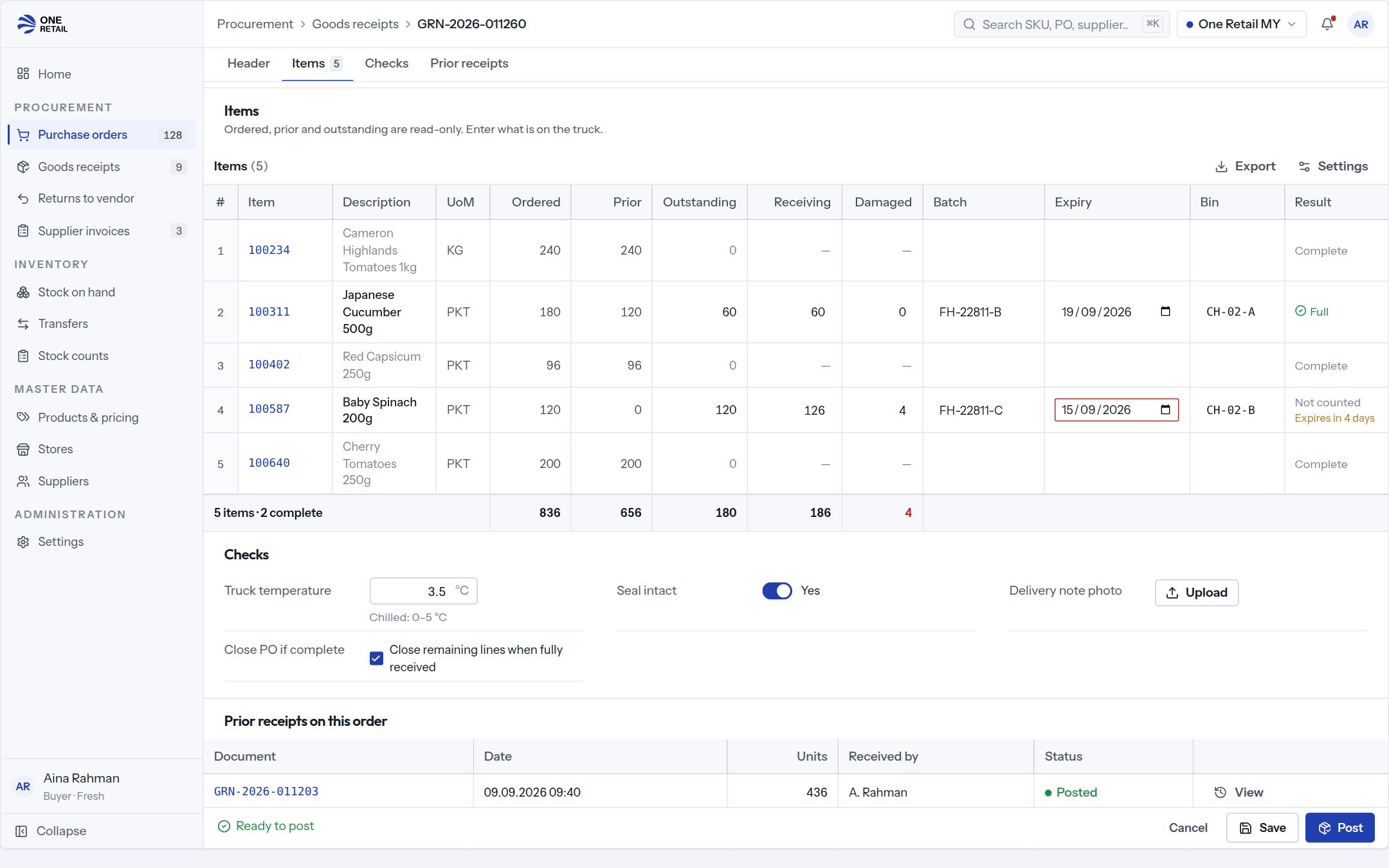
Sample data. Every person, supplier and store shown is invented.
Works with
Store Operations and Inventory
Raise Purchase Order
Guided replenishment ordering with suggested quantities.
Store Operations and Inventory
Expiry Control
Date-coded stock, markdown triggers and write-off prevention.
Partner Portals
Supplier Portal
Orders, delivery schedules, invoices and claims for trade suppliers.
What buyers ask about receiving.
- Can stores receive on a handheld?
- Yes. Receiving runs on the store handheld at the dock, against the purchase order, and head office sees the receipt as soon as it is posted.
- What happens when a delivery is short or over?
- A short line stays open or closes, as the order says. An over-delivery within tolerance is accepted; above it, the receipt waits for a buyer.
- Does receiving reach the books?
- Yes. Posting a receipt updates stock and the accounting entry together, and the day's postings go to your finance ERP through its connector.