
Raise Purchase Order
Guided replenishment ordering with suggested quantities, checked against the supplier's terms before it goes out.
Suggested quantities
Replenishment suggests what to order, so buyers and stores start from a sensible number rather than a blank line.
Supplier terms built in
Payment terms, lead times and minimum order quantities come from the supplier record, and a line below the minimum says so before the supplier has to.
Approvals above a limit
Orders over a buyer's limit go to a second person to approve, with the trail on the order.
One record to the dock
The order a buyer raises is the one the team receives against at the dock. Nothing is keyed twice.
Raise Purchase Order in the product.
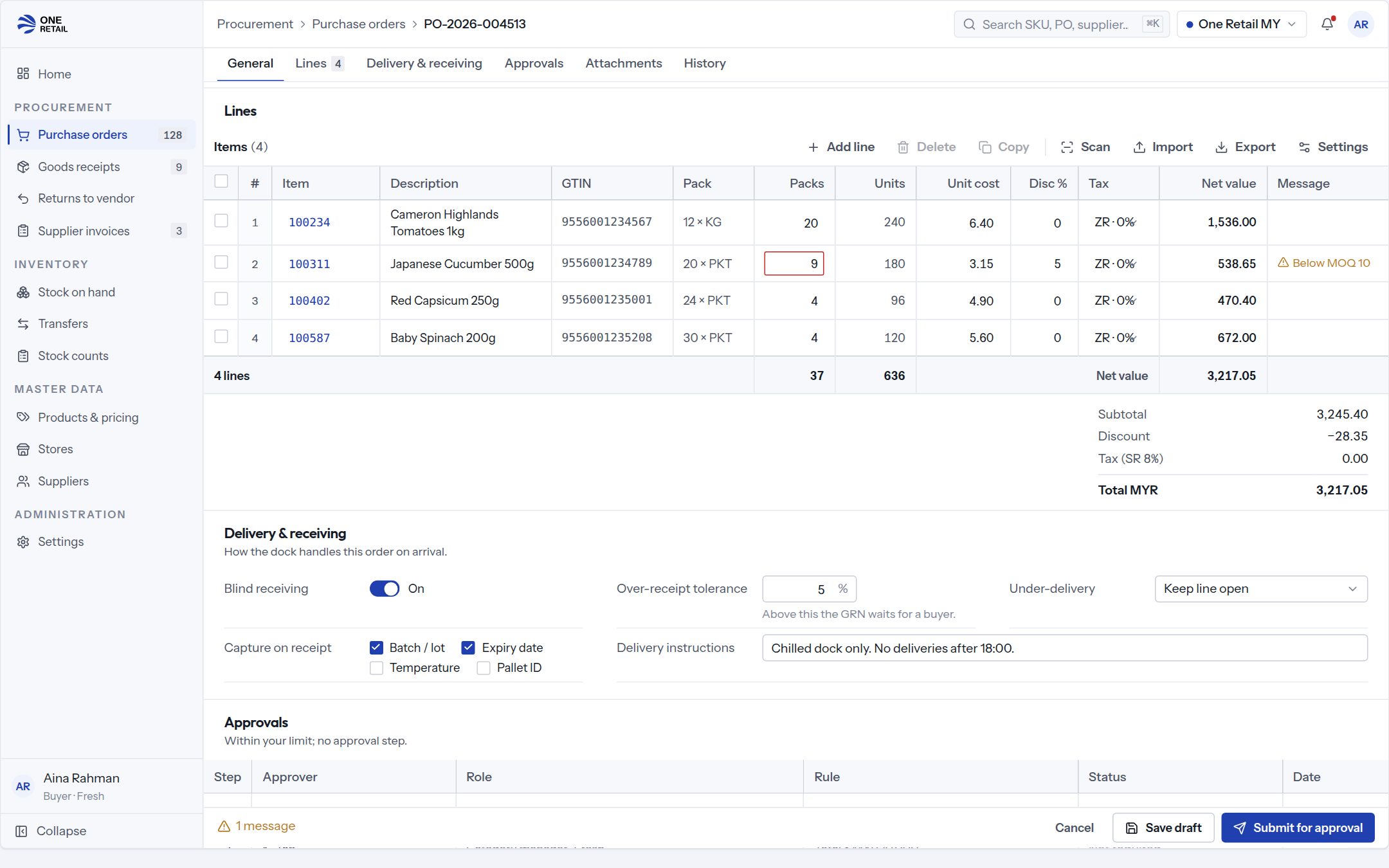
Sample data. Every person, supplier and store shown is invented.
Works with
Store Operations and Inventory
Receiving
Scan-verified goods receipt against purchase orders and delivery schedules.
Partner Portals
Supplier Portal
Orders, delivery schedules, invoices and claims for trade suppliers.
Store Operations and Inventory
Stock Management
Adjustments, transfers, counts and stock takes from a handheld.
What buyers ask about raise purchase order.
- Can stores raise their own orders?
- Yes. Stores can raise orders and seasonal pre-orders, and head office decides who approves what above which limit.
- How do suppliers receive the order?
- Suppliers see and confirm orders in the supplier portal, on the same platform.